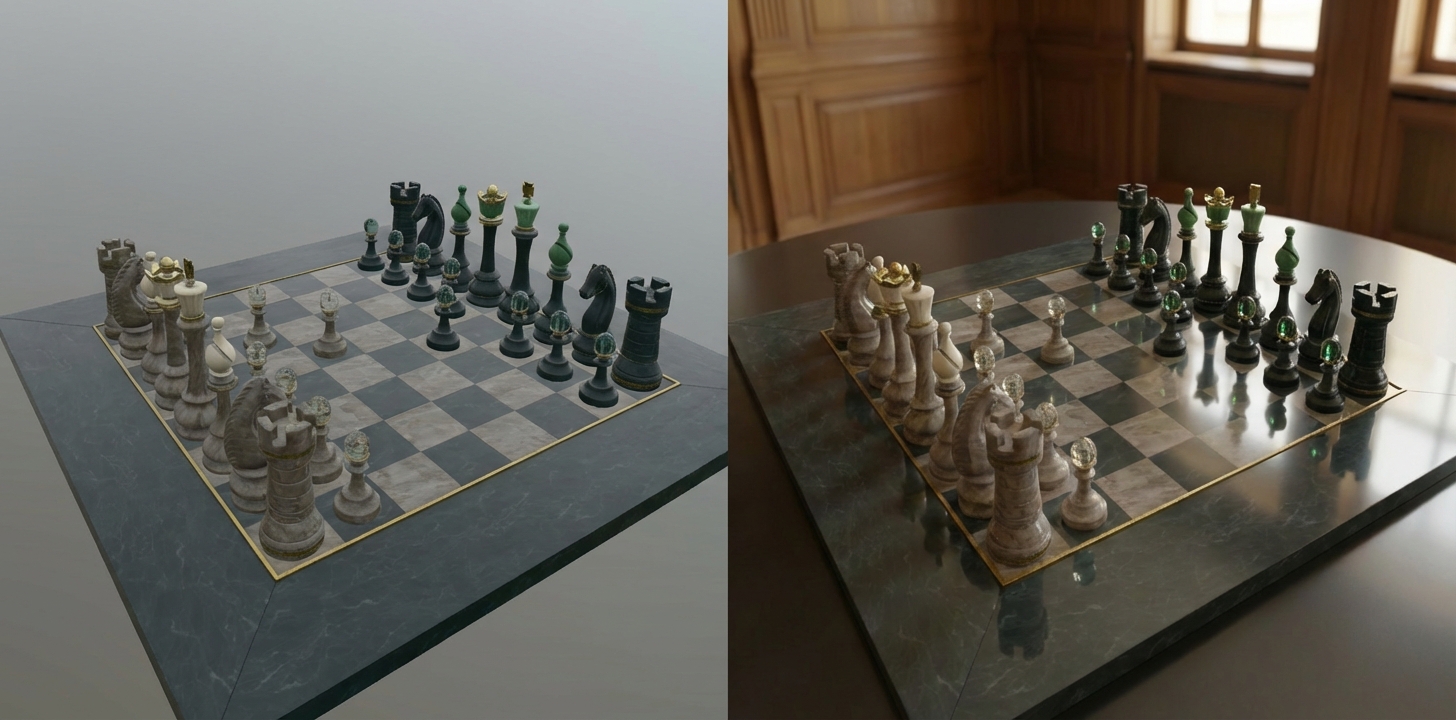
Real-time rendering vs. Raytracing
Real-time rendering, like WebGL or glTF, is fantastic for interactivity. It allows users to spin, zoom, and explore 3D models in their browser instantly. However, it often lacks the depth, realistic soft shadows, and complex light reflections that make an image truly photorealistic.
Traditional raytracing solves this but comes at a steep cost: it requires heavy computational power, complex scene setups in tools like Blender or Maya, and significant rendering time.
By leveraging Generative AI (specifically Image-to-Image models), we can now transform a simple real-time screenshot into a high-fidelity "raytraced" image in seconds. This approach uses the geometry and composition of your real-time 3D model as a guide, while the AI "hallucinates" the realistic lighting, materials, and environment.
This approach has become viable since image-to-image models like Nano Banana can generate images, but stay very consistent with the input image.
The Results
Let's look at the difference. Below are comparisons between a standard real-time WebGL render and the AI-enhanced output.
Sponza Atrium
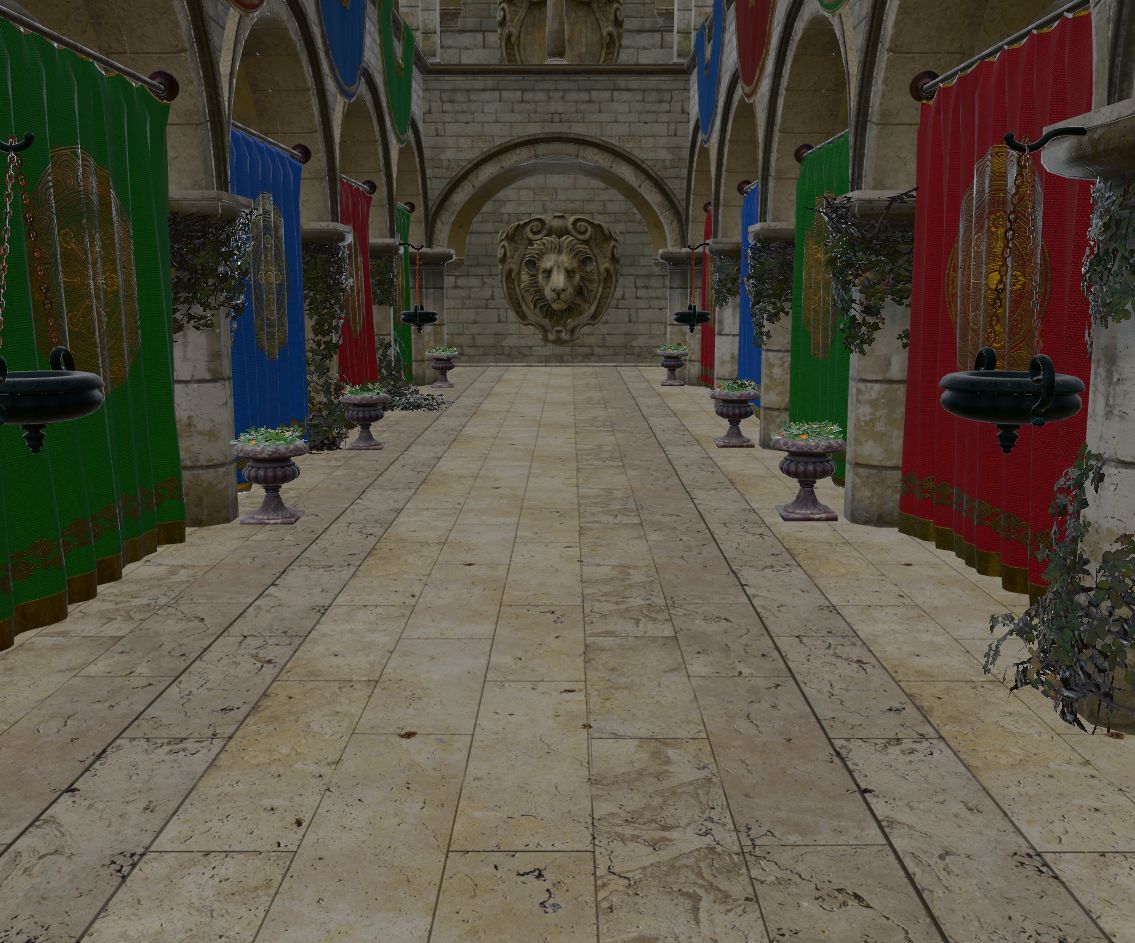 Real-time rendering: Flat lighting and sharp, unnatural shadows.
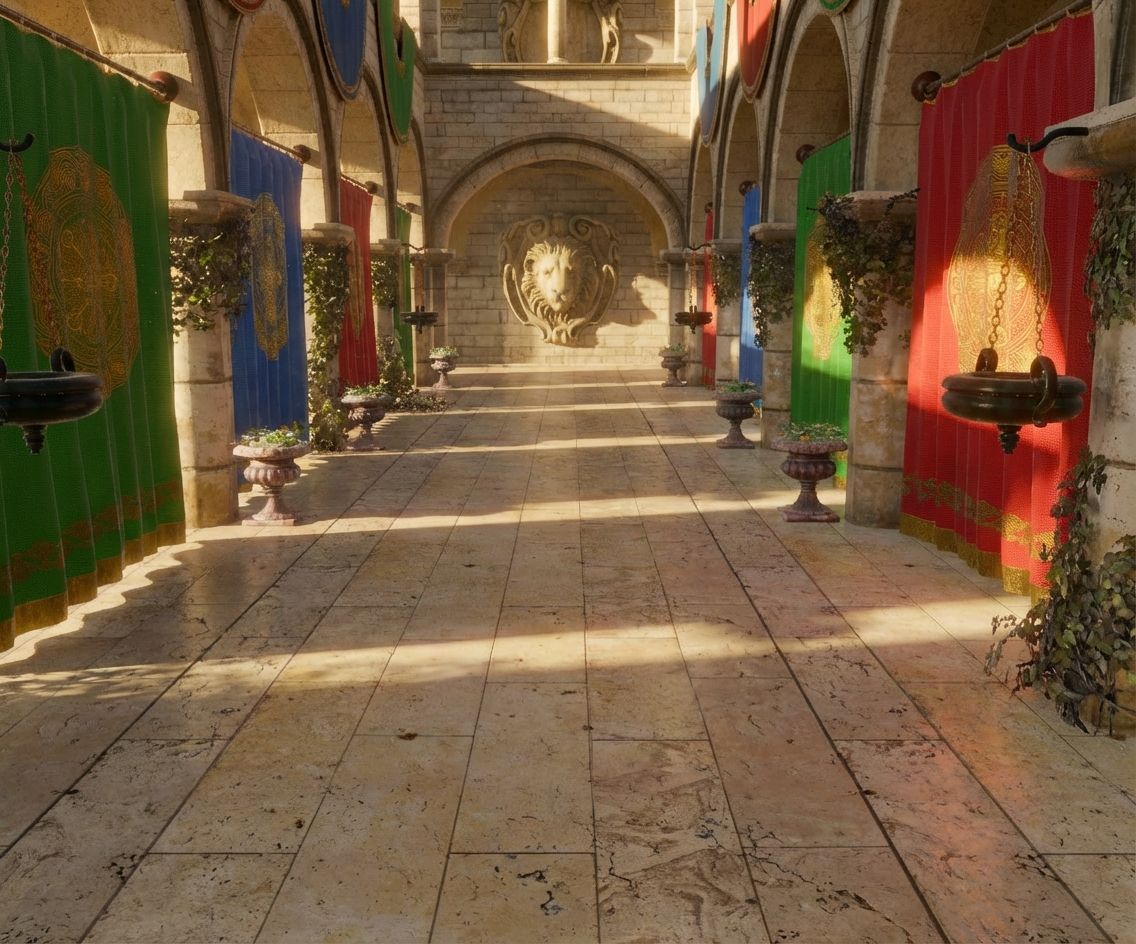 AI Raytraced: Notice the global illumination and soft, realistic shadows.
Sponza in Winter
We can even change the season or atmosphere completely via the prompt, without changing a single texture in the 3D model.
Real-time rendering
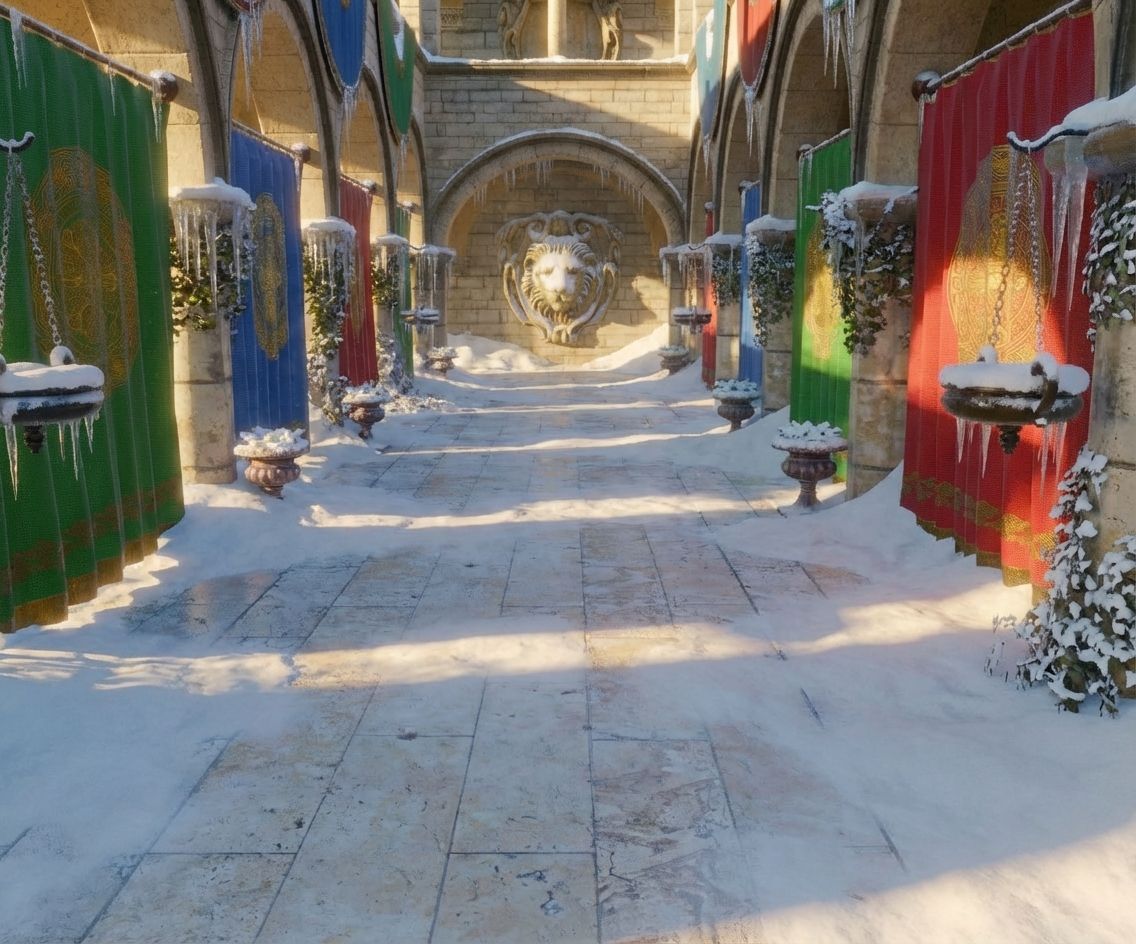 AI Raytraced (Snow): The AI adds snow accumulation and cold lighting automatically.
Flight Helmet
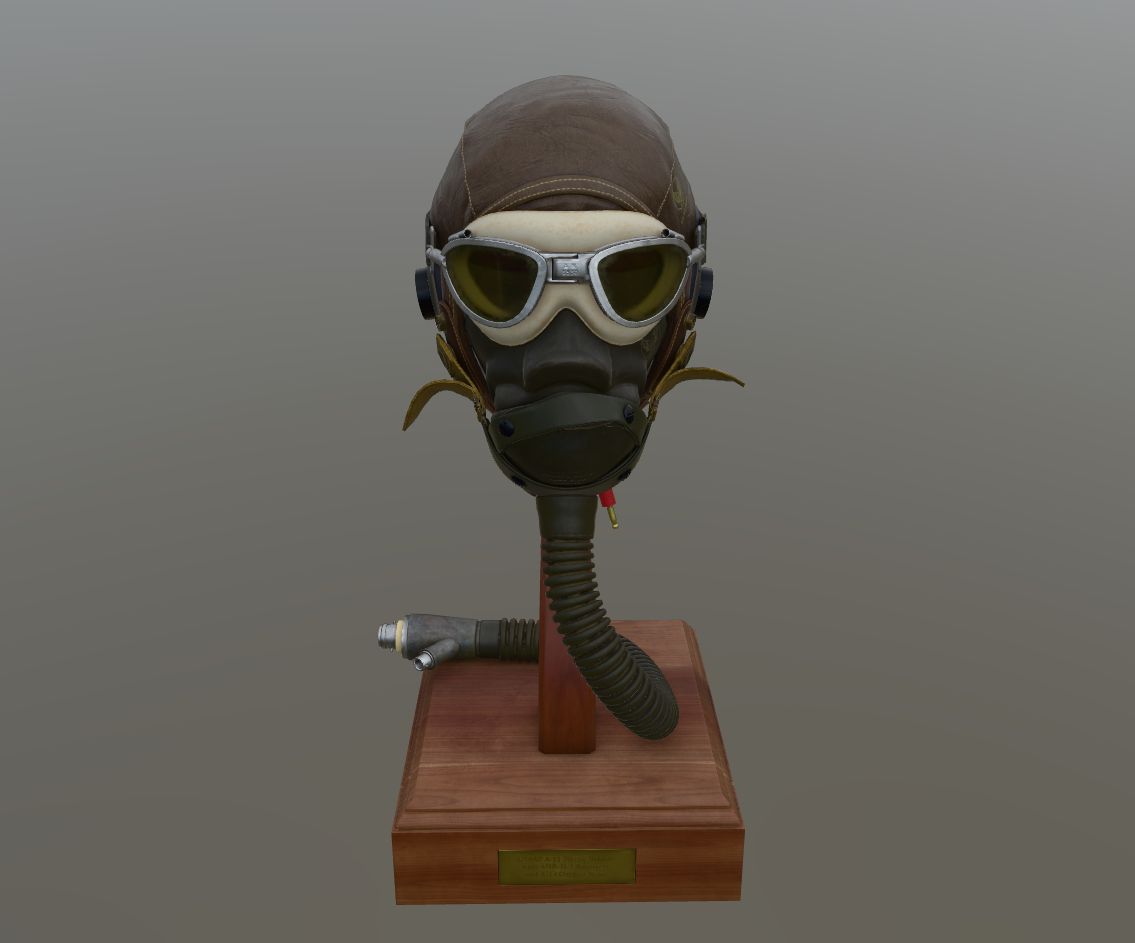 Real-time rendering
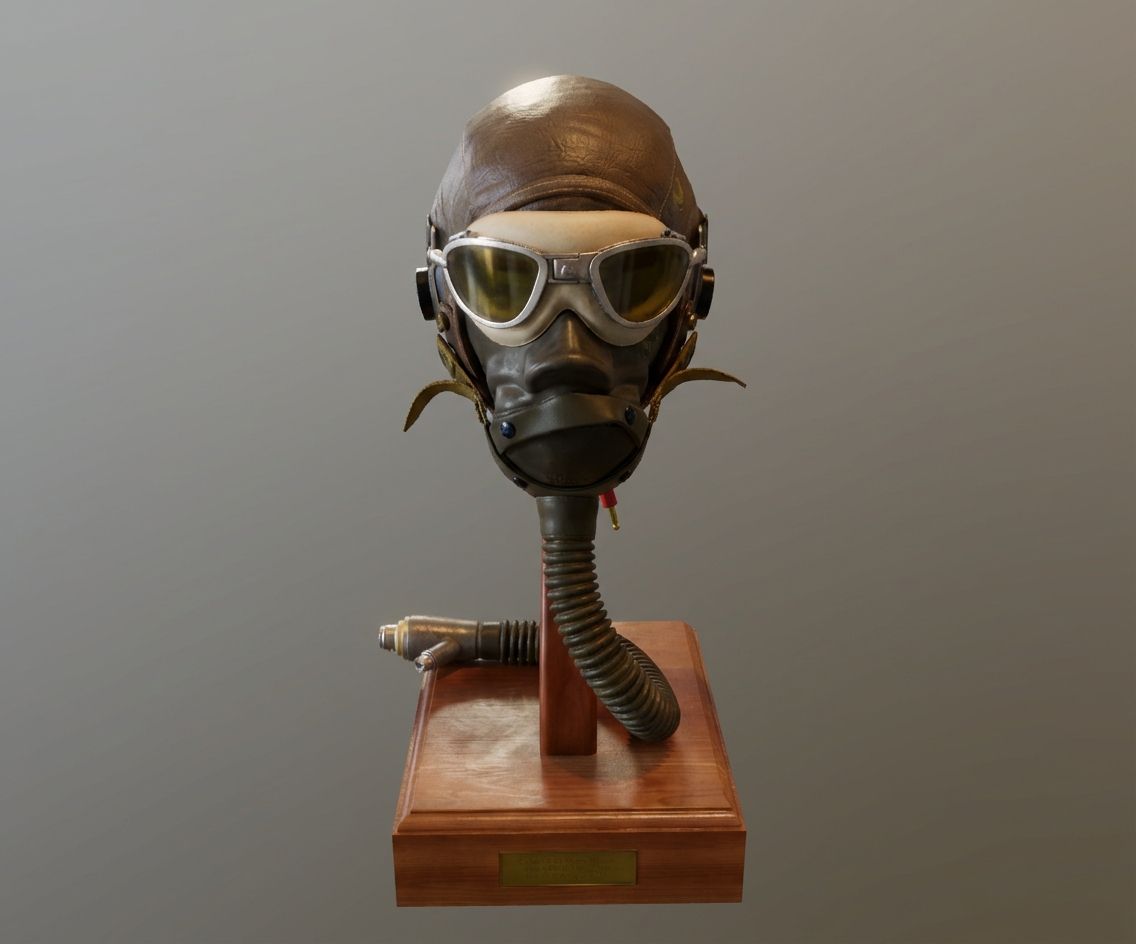 AI Raytraced: Enhanced material definition on the leather and glass.
Chess Board
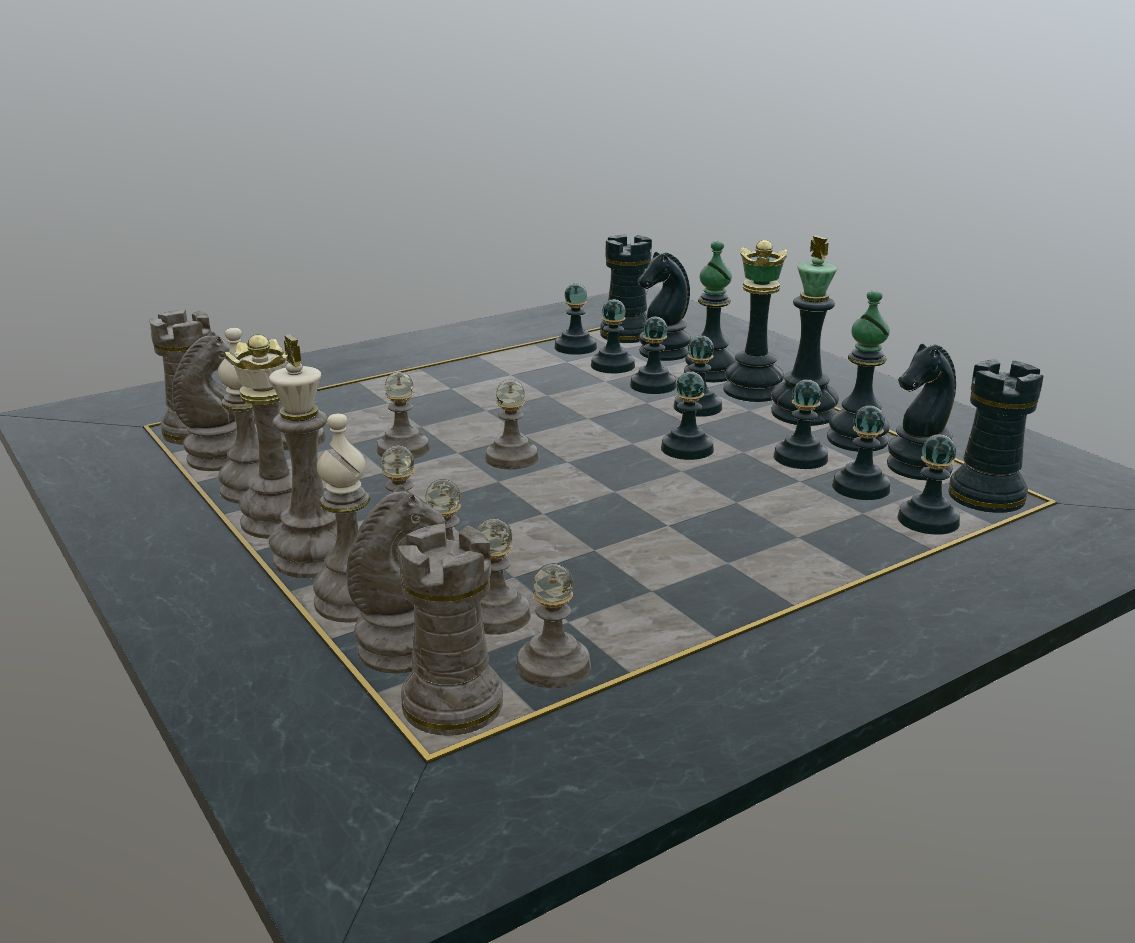 Real-time rendering
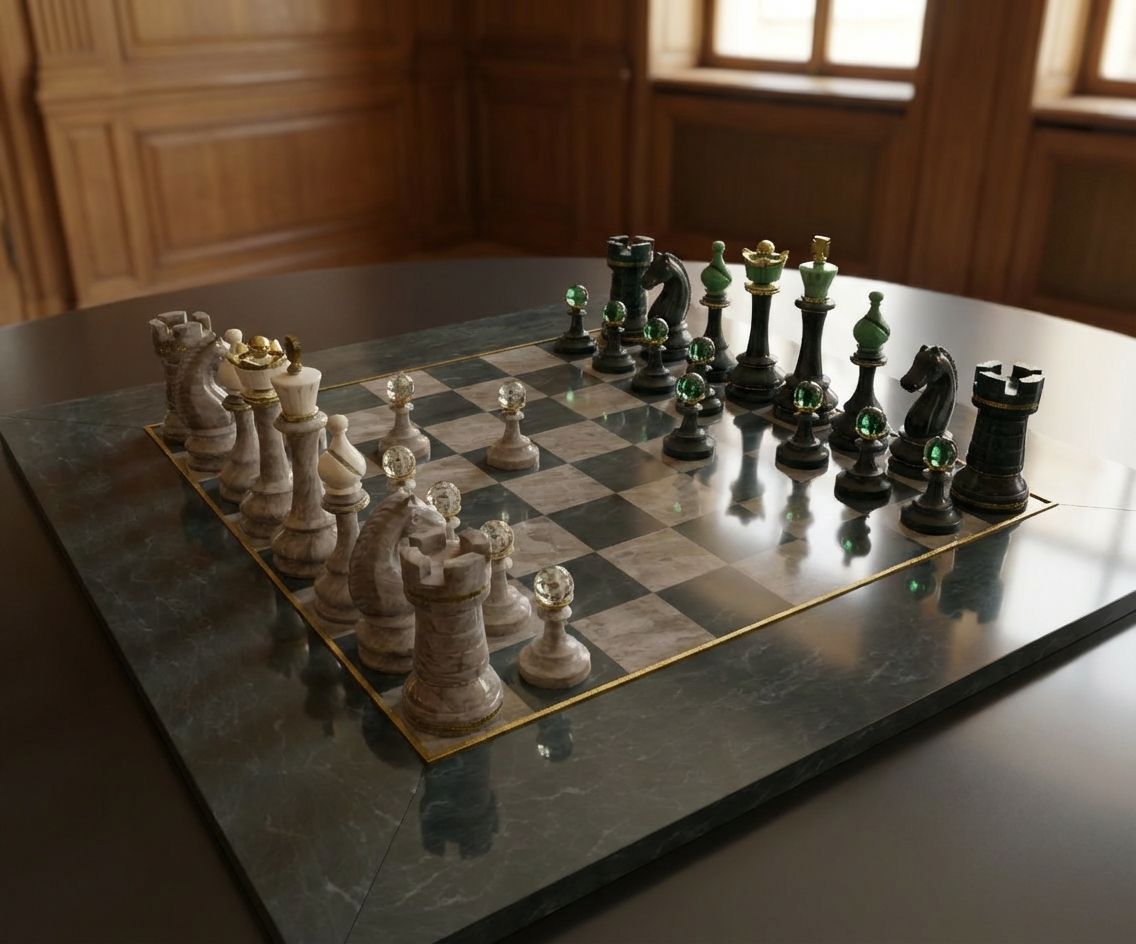 AI Raytraced: Realistic depth of field and wood grain texture.
Possible Workflow
Creating these images server-side is straightforward. The process involves two main steps:
- Generate a Base Image: First, we need a deterministic screenshot of the 3D model. We use our service to render the glTF/GLB file from a specific camera angle. This provides the correct composition and geometry for the AI to work with.
- AI Transformation: Next, we pass this image URL to a Generative AI API (like Google Nano Banana Pro or a Stable Diffusion endpoint).
We use a simple prompt to guide the AI:
Create a realistic raytraced image of this real time rendered image
Here is an example URL that generates the base image for the Flight Helmet, you must replace demo with your API key:
http://www.glb2png.com/v1/demo/r/rh:-45,rv:15,s:512/u/https%3A%2F%2Fraw.githubusercontent.com%2FKhronosGroup%2FglTF-Sample-Models%2Frefs%2Fheads%2Fmain%2F2.0%2FFlightHelmet%2FglTF%2FFlightHelmet.gltf
And here is the result of that workflow:
 Step 2: Final AI raytraced result
Cost & Performance
One of the biggest advantages of this approach is the speed and low cost compared to traditional rendering methods.
For the Flight Helmet example (1135x943 resolution) using Nano Banana Pro:
- Time: ~15 seconds
- Input token cost: $0.000546
- Output token cost: $0.000191
- Total cost: $0.000737
Generating a photorealistic image for less than a tenth of a cent in under 20 seconds opens up massive possibilities for automated content generation.
Key Benefits
- Cost Efficiency: The cost per image is negligible compared to setting up a render farm or paying 3D artists. For e-commerce catalogs with thousands of products, this cost difference is massive.
- Time Savings: Traditional raytracing can take minutes or hours per frame, while AI generation takes seconds, enabling on-demand asset generation.
- No Scene Setup Required: No need to configure lights, HDRIs, or materials manually. The AI understands lighting physics and "hallucinates" a realistic environment based on the geometry.
- Server-Side Scalability: The pipeline runs entirely server-side, automating image generation for large inventories without needing powerful local GPUs.
- Consistency: AI models can be tuned to provide a consistent visual style across different assets in your product catalog or gallery.
Conclusion
Combining the structural accuracy of real-time 3D models with the stylistic power of Generative AI offers a new paradigm for 3D rendering. It bridges the gap between the speed of WebGL and the quality of offline raytracing.
Whether you are building an e-commerce platform, a digital asset manager, or just want to showcase your 3D models in the best light, this workflow provides a scalable, cost-effective solution.
Feel free to try our Demo to generate base images or take a look at our Quickstart Guide to start integrating GLB2PNG into your pipeline.